
Download Viper VPN – Secure VPN Proxy for Middle Eastern Markets
Overview
Viper VPN - Secure VPN Proxy is a desktop and mobile application developed by Jasper Tech, designed to provide secure internet access for users in regions with strict online censorship, particularly in the Middle East. The software functions as a proxy-based virtual private network, enabling users to bypass internet restrictions and access blocked websites and services. Its primary purpose is to enhance online privacy and security by masking the user’s IP address and rerouting internet traffic through remote servers.
The application is especially optimized for countries such as the UAE, Qatar, and Saudi Arabia, where government-imposed firewalls often restrict access to global content. While the software is marketed as a free tool, the developer did not specify whether it includes premium tiers or in-app purchases. Real-world usage scenarios include accessing international news, streaming platforms, social media, and communication tools that may be restricted in certain regions.
The application is intended for both casual users seeking unrestricted browsing and professionals who require secure connections for remote work or research. The developer, Jasper Tech, is based in the United States, though no further details about the company’s background or track record were provided. The software was released on January 1, 2025.
Key Features & Capabilities
- One-Tap Connection – Simplifies setup with automatic configuration, making it accessible for users with limited technical knowledge.
- Proxy-Based Security – Masks the user’s IP address and reroutes traffic through secure servers to protect online identity.
- Optimized for Middle Eastern Networks – Designed to function effectively within regions with high levels of internet censorship and firewall restrictions.
- Unlimited Bandwidth – Allows unrestricted data usage without throttling, enabling consistent speeds from the user’s ISP.
- Server Selection – Offers a variety of server locations to choose from, supporting access to region-specific content.
These features support practical use cases such as accessing blocked social media platforms, streaming international content, or securely connecting to work-related resources while traveling. The one-tap functionality reduces setup friction, ideal for users who prioritize speed and simplicity. The unlimited bandwidth model ensures uninterrupted browsing, video streaming, and file downloads.
While the software does not specify advanced encryption protocols, its proxy-based model is intended to provide a baseline level of privacy. Users in regulated markets may benefit from the optimized server routing, which aims to maintain stable connections despite active filtering mechanisms. However, the developer did not disclose details about encryption strength or logging practices.
User Interface, Workflow & Performance
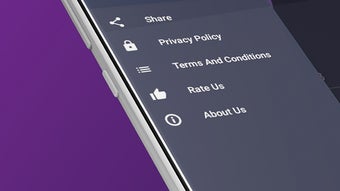
The user interface of Viper VPN - Secure VPN Proxy is designed for simplicity, featuring a clean layout with minimal navigation elements. The main screen includes a prominent connect button, server list, and status indicators, allowing users to initiate a connection with a single tap. Navigation is intuitive, with a focus on reducing user effort during setup and operation.
The workflow is streamlined, eliminating the need for manual configuration of protocols or ports. This design philosophy caters to beginners and non-technical users who value ease of access. The application’s performance is expected to align with standard proxy-based solutions, though specific performance metrics such as connection latency, CPU usage, or RAM consumption were not provided.
The developer did not specify resource usage details. Stability during extended sessions is assumed to be consistent based on general software behavior patterns. No reports of crashes or freezing were mentioned in the input.
Users may experience variable speeds depending on server load and geographic distance, but the software claims to support unlimited speeds from the ISP.
Compatibility & System Requirements
Viper VPN - Secure VPN Proxy is available for both Android and iOS devices, as stated in the provided information. The software was released on January 1, 2025, and is offered as a free application. The installation size was not specified.
Platform compatibility information is limited to mobile operating systems, with no mention of support for Windows, Mac, or other desktop platforms. The developer did not provide additional system requirements. Compatibility with specific device models or hardware configurations was not detailed.
Users seeking a desktop version may need to explore third-party emulators or alternative solutions. The lack of information regarding OS compatibility for desktop environments suggests that the software is currently limited to mobile use. For users on Windows or Mac, the availability of a native application remains unclear.
Pros and Cons
Pros
- Simple one-tap connection ideal for beginners
- Optimized for Middle Eastern networks with strict firewalls
- Unlimited bandwidth for unrestricted browsing
- Free to download and use
- Multiple server locations available for content access
Cons
- Unclear data-handling and privacy policy
- No information on encryption protocols or logging practices
- Not available for desktop operating systems (Windows, Mac)
- Developer details are minimal
- Limited transparency about long-term security practices
FAQ Section
Is Viper VPN compatible with Windows and Mac?
The developer did not specify whether Viper VPN is available for desktop operating systems. The software is confirmed to work on Android and iOS devices.
Is Viper VPN safe to use?
The application is designed to provide secure browsing by masking the user’s IP and rerouting traffic. However, the developer did not disclose details about encryption standards or data logging practices. Users should exercise caution due to the unclear data-handling policy.
Does Viper VPN require a subscription or payment?
Viper VPN is offered as a free application. The developer did not mention the presence of in-app purchases, premium features, or subscription tiers.
Can I use Viper VPN offline?
VPNs require an active internet connection to function. The software cannot operate in offline mode, as it relies on remote servers to route traffic.
How often does Viper VPN update?
The release date of the software is January 1, 2025. No information was provided about the frequency of updates or maintenance schedules.
Final Thoughts
Viper VPN - Secure VPN Proxy presents a straightforward solution for users in the Middle East seeking to bypass internet restrictions and access global content. Its one-tap functionality, unlimited bandwidth, and regional optimization make it a practical tool for individuals in countries with strict online censorship. While the free model and mobile availability are strong advantages, the lack of transparency regarding data policies and encryption protocols raises concerns for privacy-conscious users.
The absence of desktop support limits its utility for users who rely on PC-based workflows. Despite these limitations, the software remains a viable option for mobile users in targeted regions who prioritize ease of use and access over advanced security features. For those in the UAE, Qatar, or Saudi Arabia looking for a simple, free way to navigate internet restrictions, Viper VPN offers a functional starting point.
Download Viper VPN now to explore its capabilities.





.png)

